
DuoPlus Review 2026
Real Android cloud phones from $2 per device a month, with running time billed separately. Built for running app-first accounts like TikTok, Instagram and WhatsApp from a browser tab.
DuoPlus expert review
Reviewed by the ProxyLook editorial team · Last updated Nov 11, 2026. Facts verified against the official DuoPlus site; see our methodology.
The short version. DuoPlus rents you real Android phones that sit in a data centre and stream to your browser. Owning a phone costs $2 a month. Running it costs about $0.36 an hour. That split is the whole product. Work a handful of accounts in short sessions and it is one of the cheapest ways to give every account its own clean mobile device. Keep phones awake all day without the $19.90 unlimited pass and the bill climbs fast.
What DuoPlus actually is
Forget the "antidetect" label for a second. DuoPlus is a phone farm you rent by the device. Each phone is a real ARM Android handset in a rack, with 4 GB of RAM and 32 GB of storage. You pick Android 10, 11, 12 or 15, click Power On, and the screen streams into a window. Tap, swipe, install apps, scan QR codes, go live. It behaves like a phone because it is one.
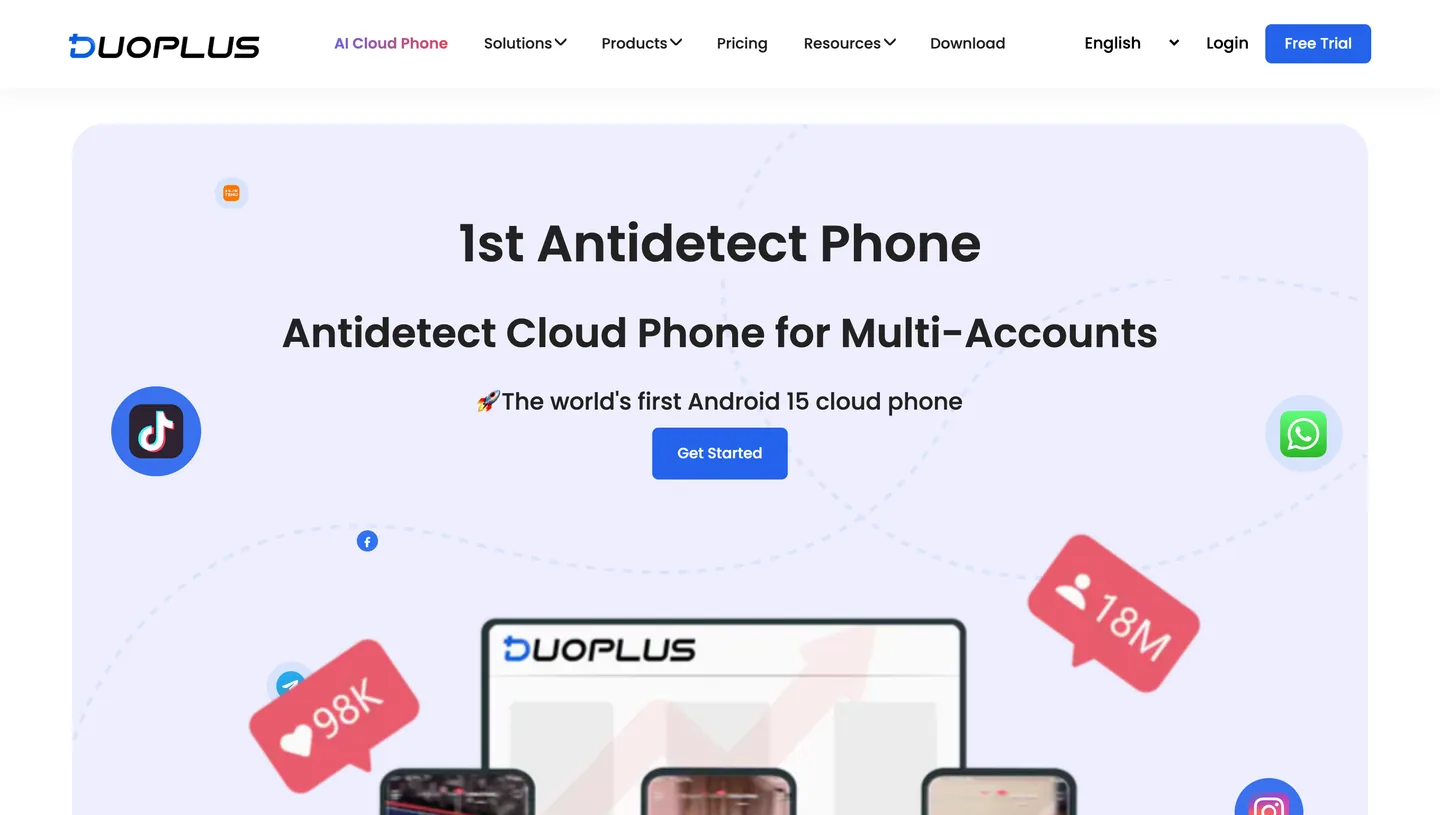
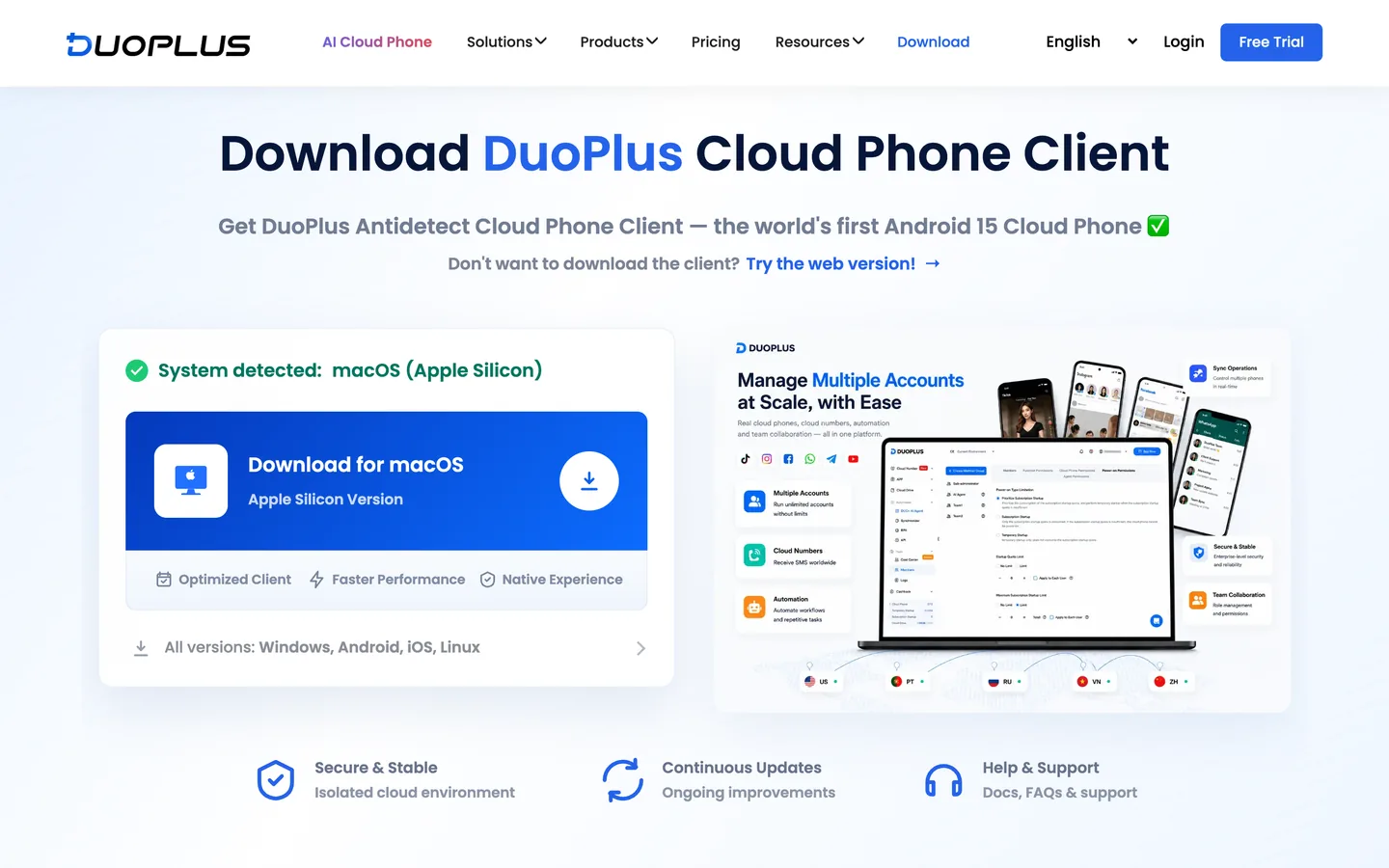
You do not need to install anything. Open the dashboard in Chrome on a laptop or on your own phone and you are in. There are desktop and mobile apps if you prefer a dedicated window, but the browser version does the same job.
Why bother, when an antidetect browser costs less? Because TikTok, Instagram, WhatsApp and most app-first platforms treat a phone very differently from a browser tab. A browser profile imitates a device. A cloud phone is a device, with its own model, SIM details, GPS position and timezone, all lined up with the proxy you attach.
Now the honest part. A cloud phone does not make an account unbannable. A burned proxy, spammy behaviour or a reused payment card will sink it just the same. Running several accounts also breaks the terms of most platforms, so know the rules where you operate. DuoPlus gives you clean, separate hardware. What you do on it is on you.
The company behind it is DuoPlus Pte. Ltd. in Singapore, and the product comes from the team behind AdsPower.
Pricing: two meters, not one
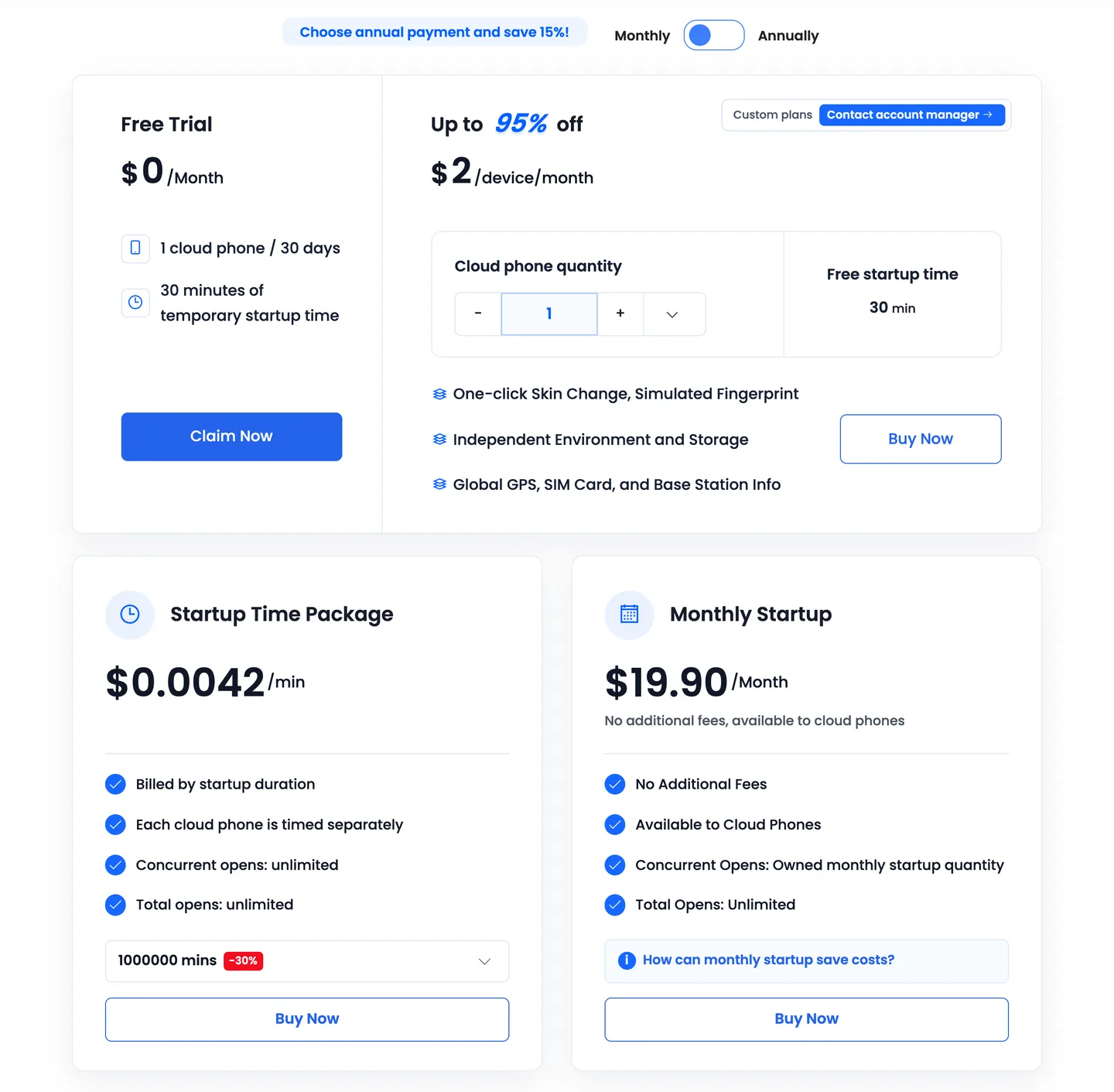
This is where most people misread DuoPlus. The $2 on the pricing page is real, but it only covers owning the phone. Powering it on is billed separately. Get both meters straight before you buy and there are no surprises.
Meter one: renting the device
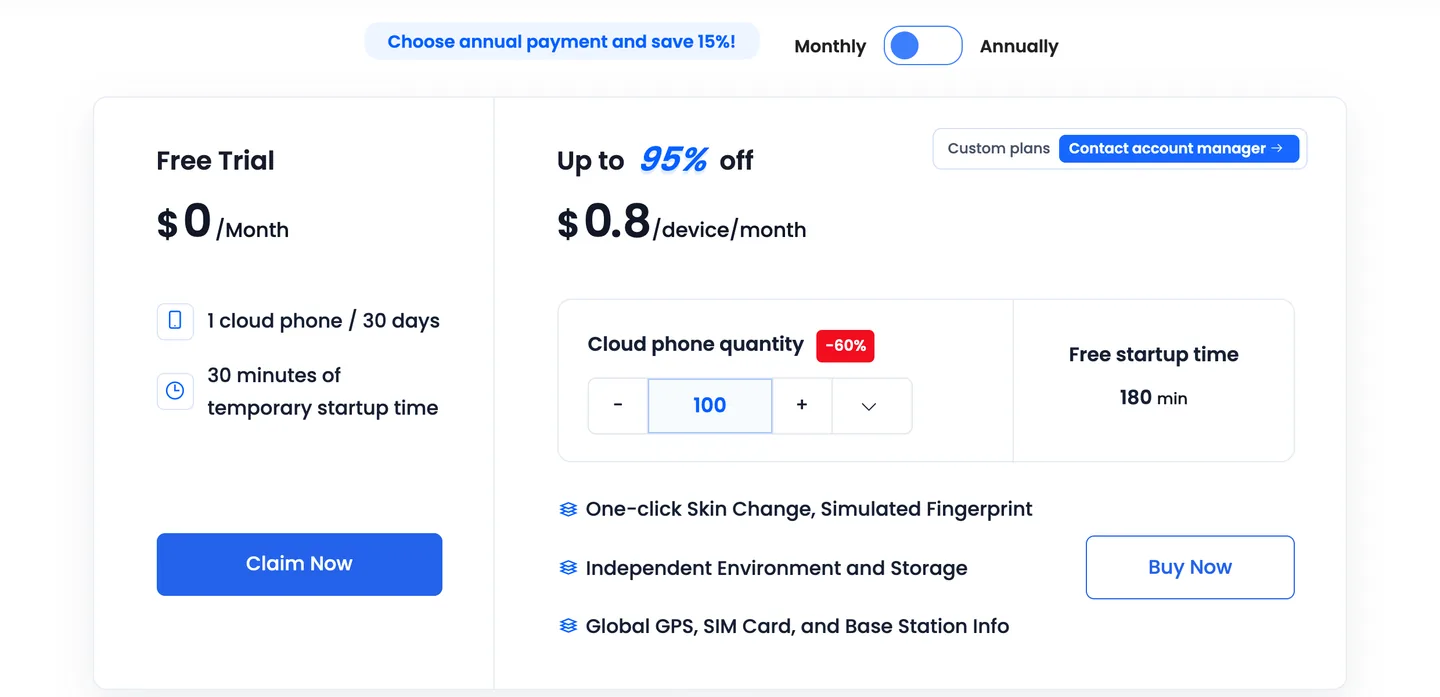
The more phones you hold, the less each one costs. Annual billing knocks a further 15% off every tier.
| Phones | Monthly billing | Annual billing |
|---|---|---|
| 1 to 4 | $2.00 each | $1.70 each |
| 5+ | $1.60 | $1.36 |
| 10+ | $1.40 | $1.19 |
| 50+ | $1.00 | $0.85 |
| 100+ | $0.80 | $0.68 |
| 500+ | $0.40 | $0.34 |
| 2,000+ | $0.20 | $0.17 |
| 10,000+ | $0.10 | $0.085 |
Meter two: running time
A phone that is switched off costs nothing beyond its rent. Switch it on and you pay in one of three ways.
| Option | Price | Pick it when |
|---|---|---|
| Pay as you go | $0.06 per 10 minutes, capped at $1.20 per phone per day | You open phones for short sessions |
| Startup Time Package | $0.006 a minute at 2,000 minutes, sliding to $0.0042 at 1,000,000 | You burn 10,000+ minutes a month |
| Monthly Startup | $19.90 a month, unlimited running time | A phone stays on for hours every day |
Three details matter here.
- The daily cap is your friend. Once a phone has run 200 minutes in a day, the rest of that day is free. The worst case on pay as you go is $36 a month per phone.
- Small minute packages save nothing. The 2,000 and 5,000 minute bundles cost $0.006 a minute, exactly the pay as you go rate. Discounts only start at 10,000 minutes.
- One pass, one running phone. A Monthly Startup pass keeps one phone running at a time. Your phones can take turns on it, so a solo operator working ten accounts one after another needs a single pass.
What you will really pay
Monthly billing, 30-day month, your own proxy not included.
| Setup | How you run it | Per month |
|---|---|---|
| 1 phone, 1 hour a day | Pay as you go | $12.80 |
| 1 phone, on all day | Monthly Startup pass | $21.90 |
| 1 phone, on all day | Pay as you go | $38.00 |
| 10 phones, one open at a time | One Monthly Startup pass | $33.90 |
| 10 phones, 30 minutes a day each, all at once | Pay as you go | $68.00 |
| 100 phones, 5 running at once | Five Monthly Startup passes | $179.50 |
The rule of thumb: the pass pays for itself at roughly 55 hours a month, which is about 1 hour 50 minutes a day. Below that, stay on pay as you go. Above it, buy the pass and stop watching the clock.
Before you top up. There are no refunds once a phone has been created. Top-ups and payments under $100 carry a handling fee. The free trial is one phone for 30 days with 30 minutes of running time, which is enough to look around and not enough to do real work.
Getting your first phone running
Plan on ten minutes, most of it spent on the proxy.
- Sign up. Use Google or an email code. There is no password to invent.
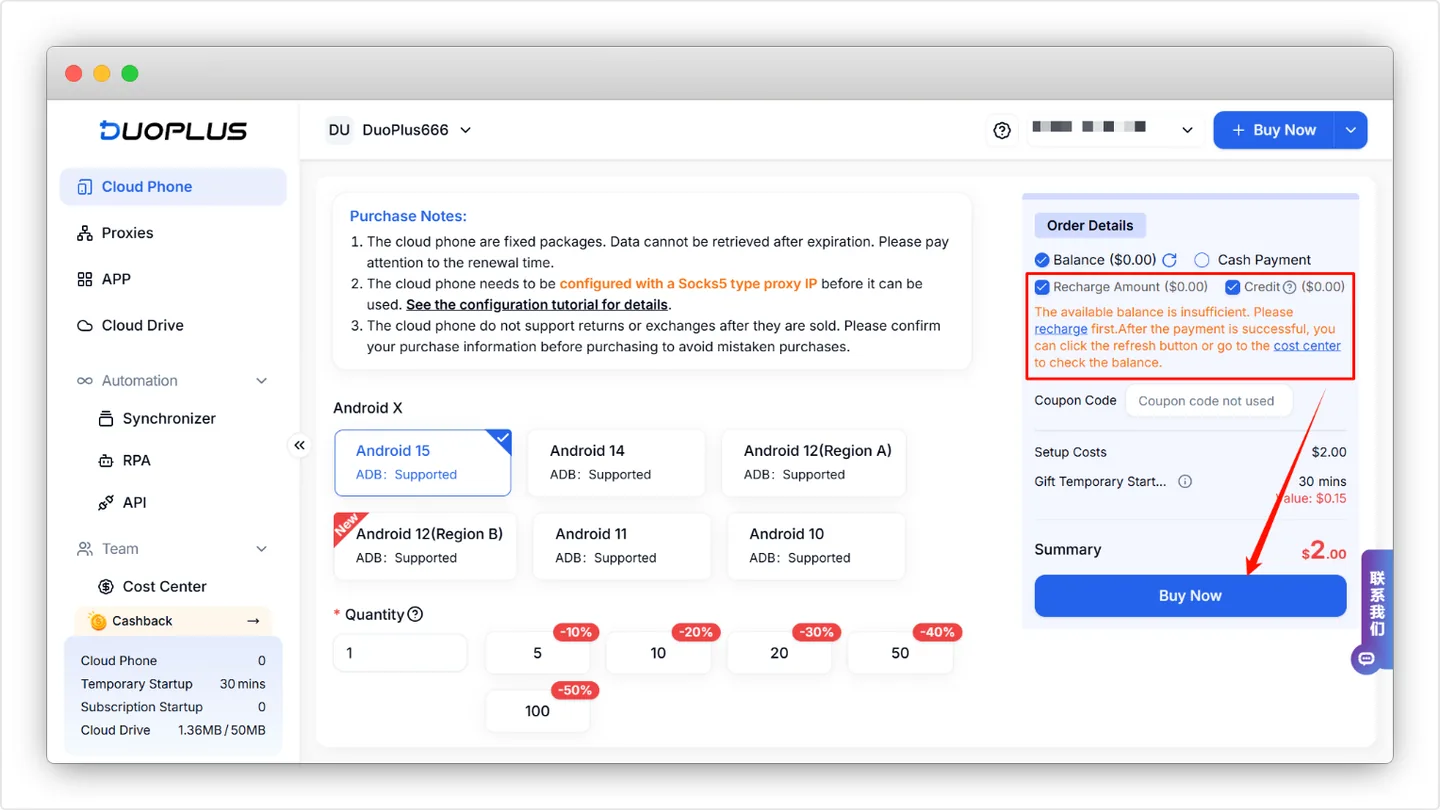
- Buy a phone. Pick the Android version, the quantity and the term. Pay from your balance or directly with PayPal, Alipay, WeChat Pay or USDT and USDC.
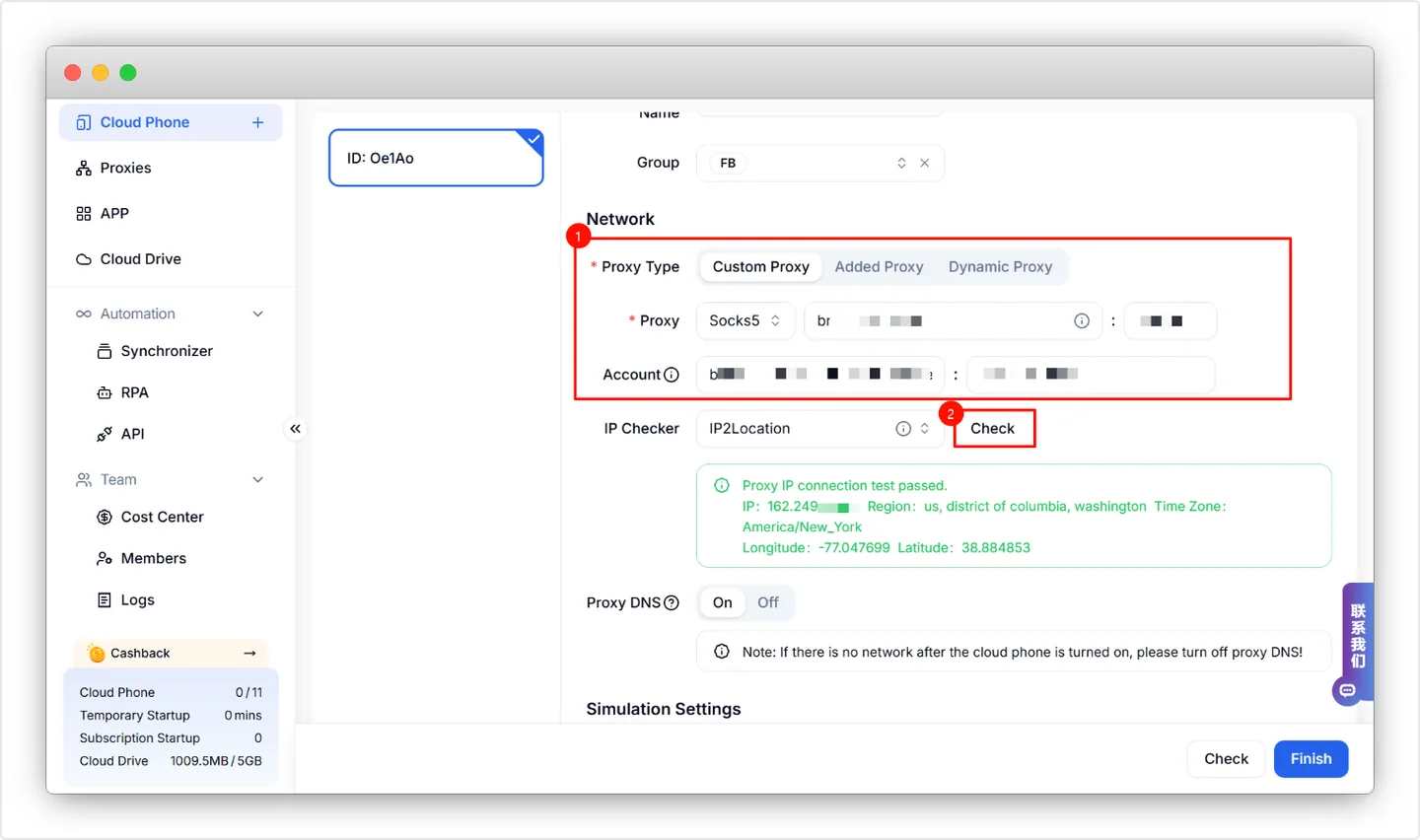
- Attach a proxy. This is the step people skip. The phone sits on "Proxy Not Configured" and will not go online until it has one.
- Power on. GPS, SIM details, timezone and language are generated from the proxy's IP, so the phone looks like it lives where the IP does.
- Set Auto Power Off. Do it on day one. More on that below.
The proxy form takes SOCKS5, HTTP and HTTPS. You can paste a whole line such as host:port:username:password and it fills the fields for you. Hit Check before saving. If the check fails here, the phone will not get online either.
Use one proxy per phone. Two phones sharing an IP defeats the point of paying for separate hardware.
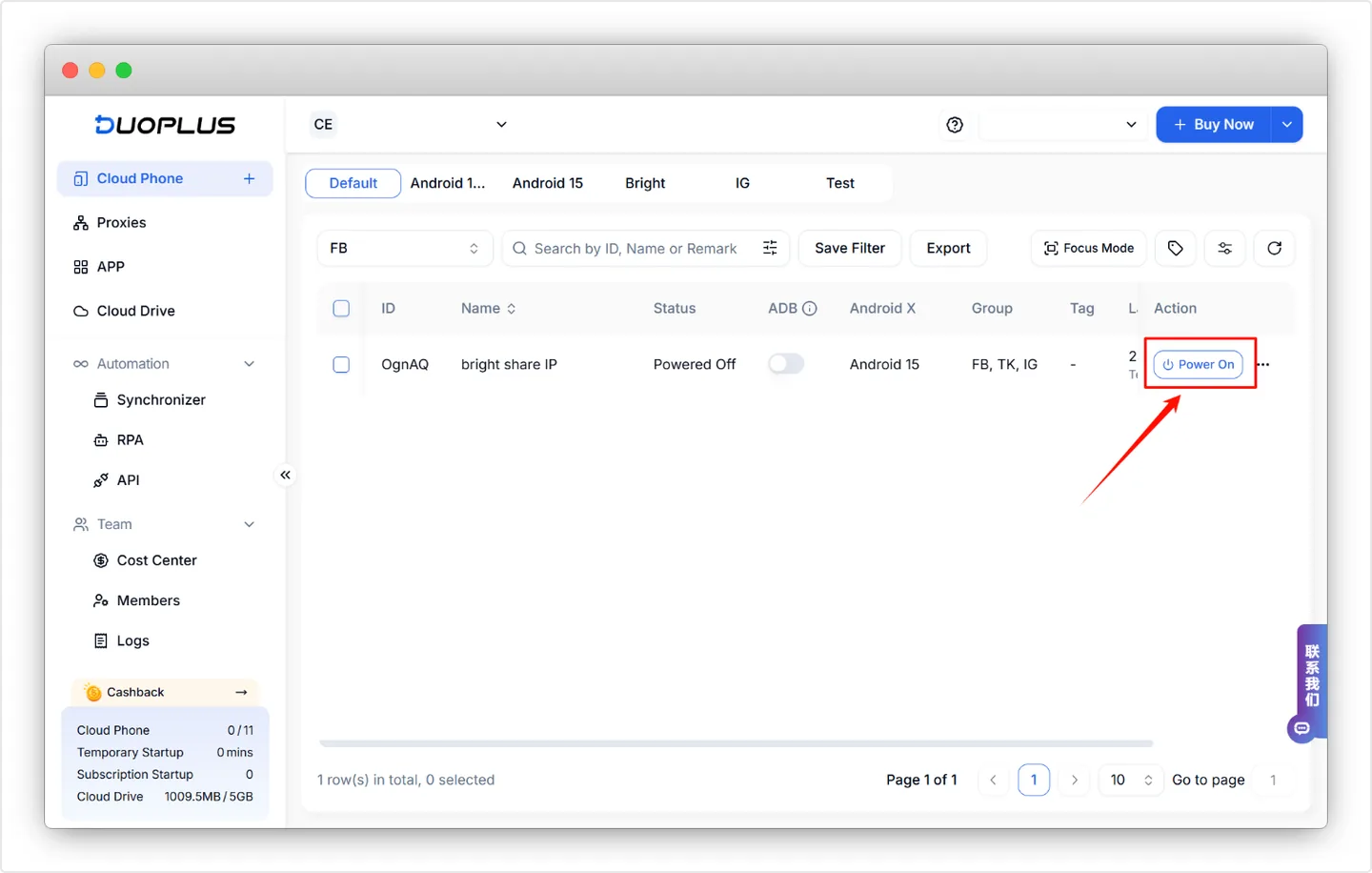
About Auto Power Off. Closing the phone window does not stop the meter by itself. Go to Team Settings, then Cloud Phone Settings, and switch Auto Power Off on. From then on a phone shuts down at the next billing tick after you close its window. One exception: a phone that has already hit the $1.20 daily cap is left running for the rest of that day, since it costs nothing more. Leave the setting off only for phones that must stay awake for scheduled tasks.
Living with it day to day
Everything you do to a single phone lives in the toolbar beside its screen.
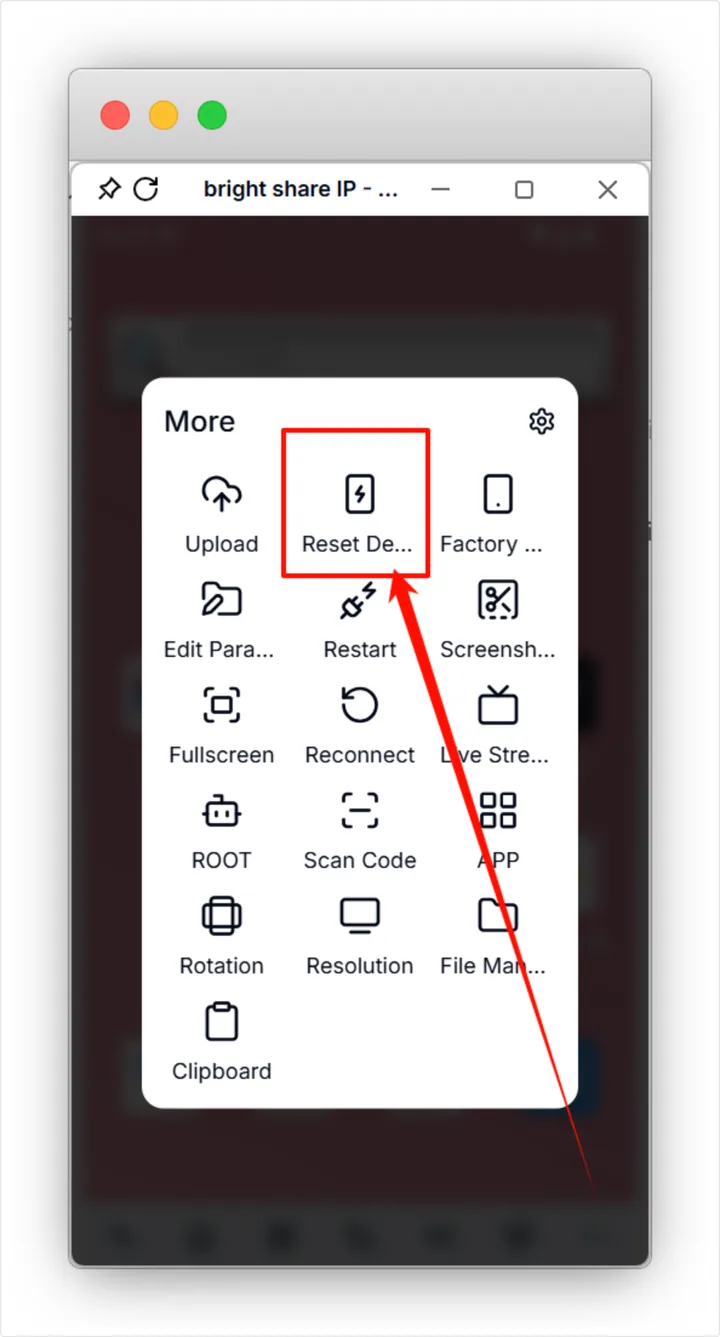
The buttons you will use most:
- Reset Device. Turns a used phone into a new one with a fresh device identity. You get 10 free resets per phone each month. Choose between a full system reinstall, clearing app data, or keeping app data, and swap the proxy in the same step.
- Edit Params. Change proxy, GPS, SIM details, timezone and language without wiping anything. For bulk edits, import a file.
- ROOT. One click, for the apps and tools that need it.
- Upload and File Manager. Push files from your computer to the phone. Anything you reuse can live in the Cloud Drive and go out to many phones.
- Live Stream. Feed an OBS stream or a video file into the phone's camera. Useful for TikTok Live and for apps that insist on a camera.
- Scan Code. Hand a QR code to the phone's camera for any login that needs a scan.
When you have more than a few phones, switch to Focus Mode. It lays the screens out as a grid so you can watch a batch at once and jump into any of them.
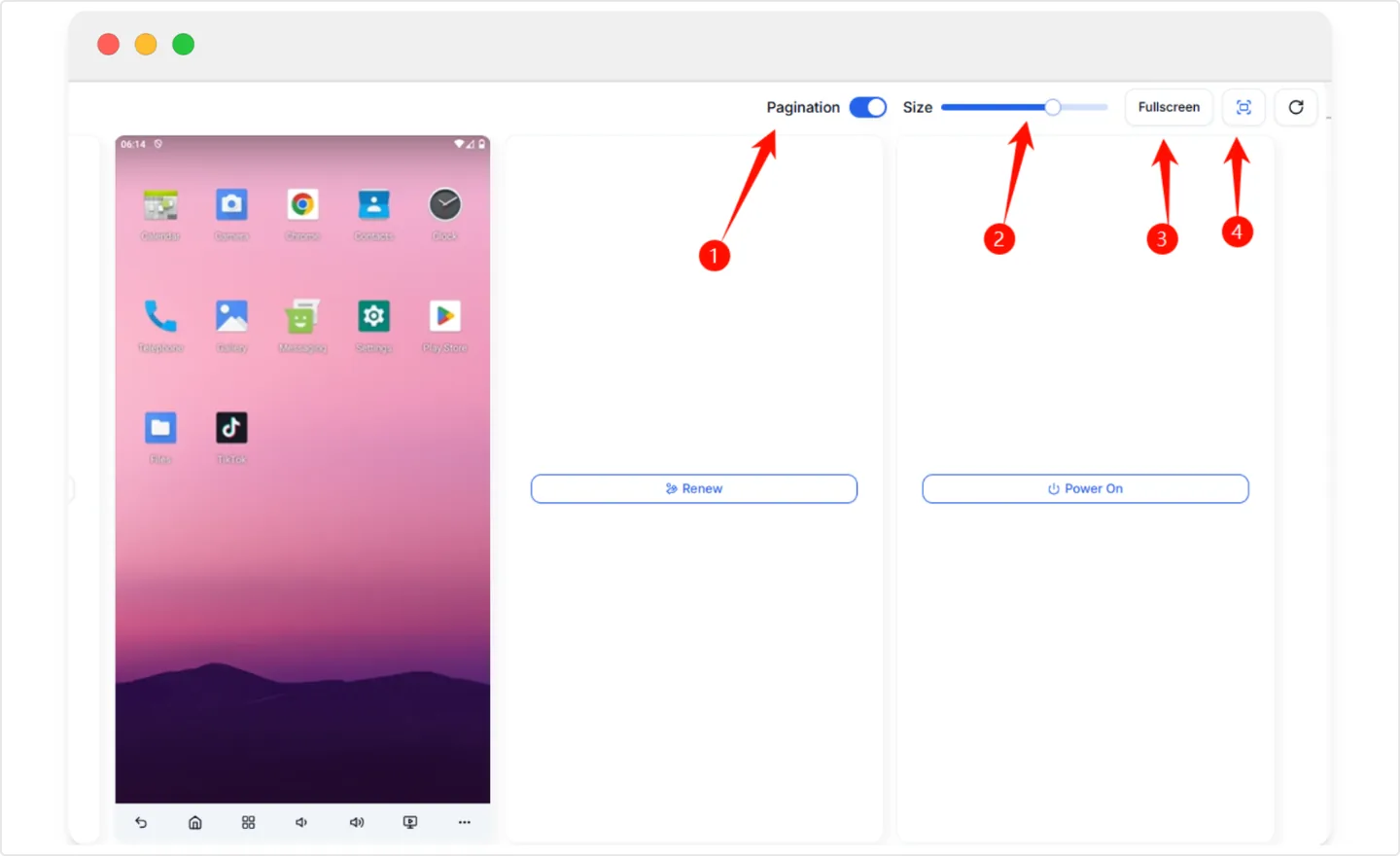
Batch actions cover the boring parts: power a group on or off, install apps across it, and edit parameters in bulk. Tags and groups keep client A's phones away from client B's.
Automation: sync, RPA, API, ADB, AI
There are five ways to stop doing things by hand. Pick by how technical you are.
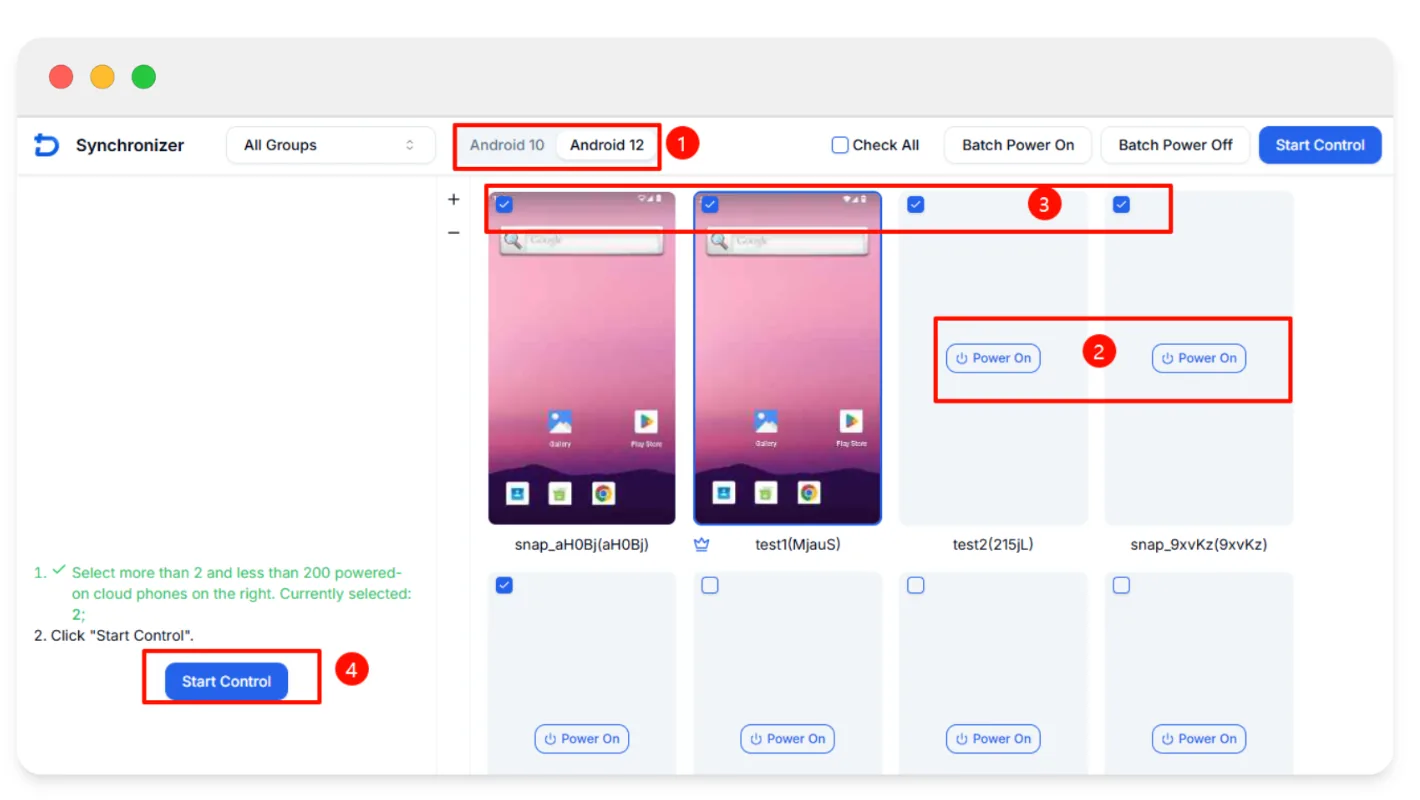
Synchronizer. Do something on one phone and the rest copy you in real time. Select between 2 and 200 powered-on phones on the same Android version and press Start Control. It is the fastest way to warm up a batch of accounts with no scripting at all. It also makes every account behave identically, so vary your timing and content.
RPA. A drag-and-drop builder with ready-made templates for TikTok, YouTube, Reddit and others. Schedule a flow, feed it variables, and run it across a group while you sleep.
API. Manage your fleet from your own code over an HTTP API that authenticates with a key in the request header. The catch is the rate limit: one request per second per endpoint. Fine for orchestration, too slow for anything chatty.
ADB. Whitelist up to 10 of your IPs, run adb connect and drive the phone with whatever ADB-based tooling you already use. This is the route for serious automation.
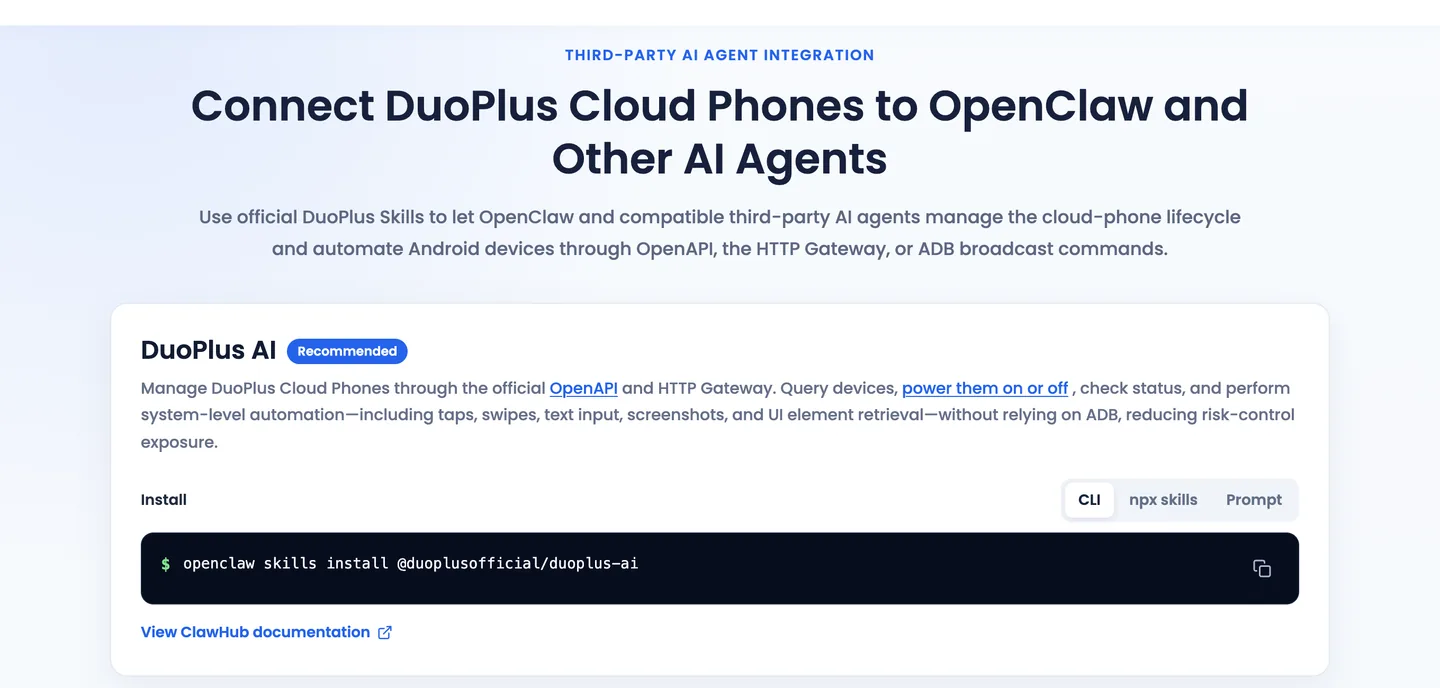
AI agent. DuoPlus has its own agent that operates a phone from a text instruction, with AI credits sold separately. There are also official skills for OpenClaw if you would rather bring your own agent.
Cloud Numbers and SMS
Here is a trap. The SIM a DuoPlus phone shows to apps is simulated. It makes the phone look right, but it cannot receive a text or a call. For verification codes you need a real number, and DuoPlus rents those too.
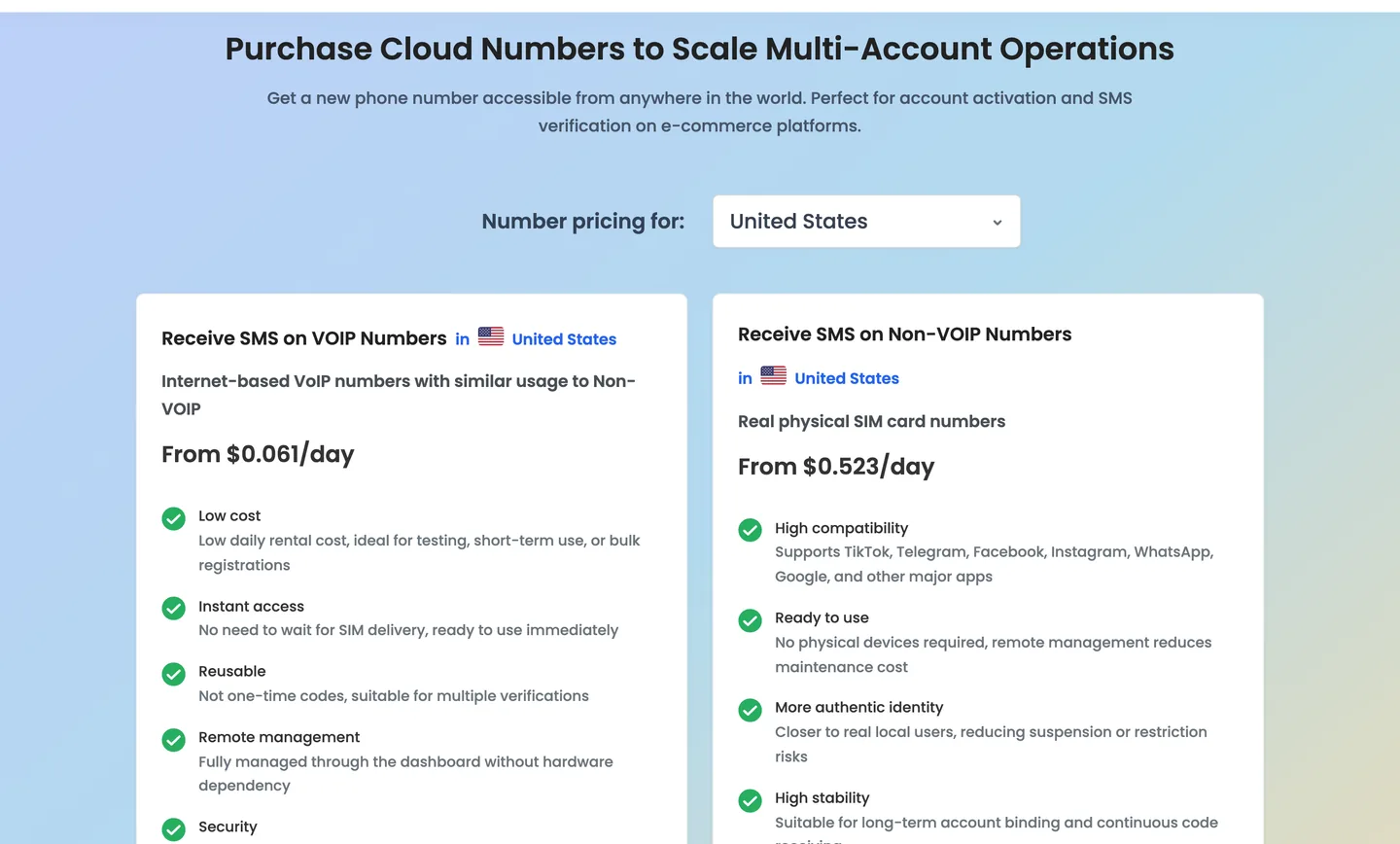
- VoIP numbers start at $0.061 a day in the US. Cheap, and the stricter apps often turn them away.
- Non-VoIP numbers run on physical SIM cards and start at $0.523 a day in the US. Pay for these when the account matters.
- The number stays yours for the whole rental, so re-verification a week later still works.
- Binding a number to a phone so texts arrive inside it works on Android 12 (Region A) and Android 15 only. Choose your Android version with that in mind.
- Message content is kept for 7 days. An expired number is gone for good.
Numbers are available in 30+ countries. No platform is guaranteed to accept any given number, so rent short, verify, then extend.
Proxies: theirs or yours
Every phone needs a proxy, so this cost is part of the real price. DuoPlus sells them in the same dashboard.
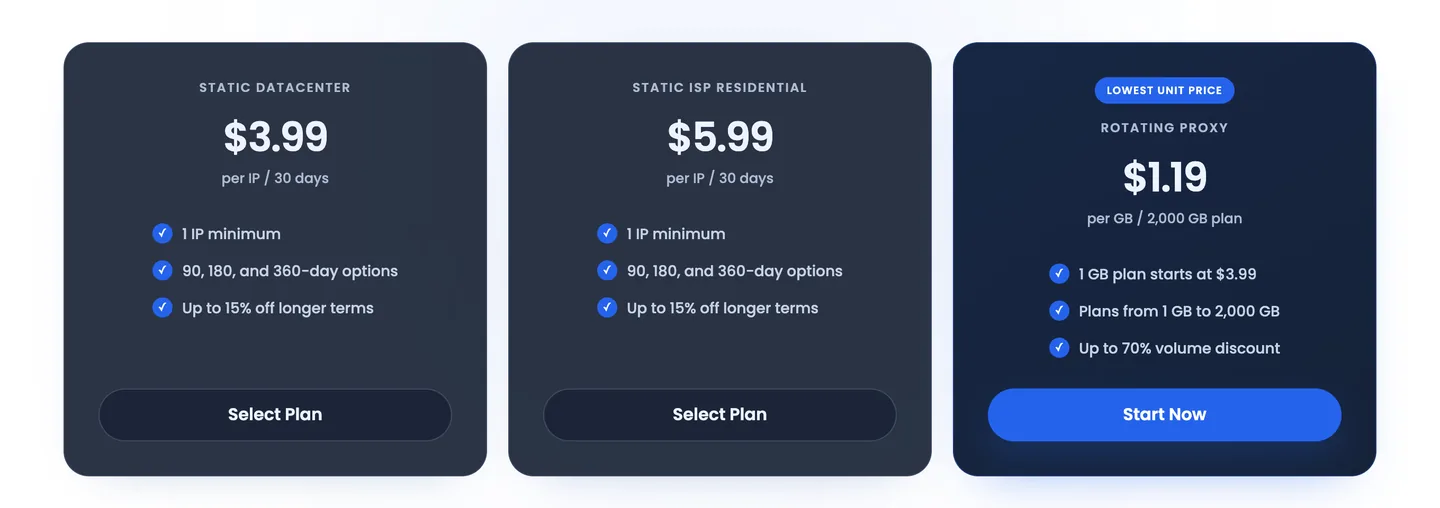
| Type | Price | Good for |
|---|---|---|
| Static datacenter | $3.99 per IP for 30 days | Testing, low-risk apps |
| Static ISP residential | $5.99 per IP for 30 days, up to 15% off longer terms | Long-lived social and commerce accounts |
| Rotating | $3.99 for 1 GB, down to $1.19 per GB on 2,000 GB | Scraping and short tasks, not account logins |
Buying in-house is convenient because the proxy is already sitting in your account. It is not required. Any SOCKS5 or HTTP proxy works, and for a phone you plan to keep for months, a dedicated static ISP or mobile IP is the right match. Add the $5.99 ISP proxy to a $2 phone and your true floor is about $8 a month per account before running time.
If you already have a provider, keep it. Bright Data, Oxylabs, Decodo, IPFoxy, Proxy302 and Proxys.io all have step-by-step DuoPlus guides in the help centre. Our social media proxy picks and TikTok proxy picks are a good place to shop.
Teams and client work
Team features are free and the member count is unlimited. Many antidetect tools charge per seat, so this adds up quickly for agencies.
- Roles. A Super Admin, Sub-Admins and member groups, each with their own permissions.
- Separate teams. Run several teams from one login, each with its own balance. One team per client keeps the billing clean.
- Operation logs. See who did what, and when.
- Sharing and transfer. Share a phone with another account, or hand it over for good. Transfers can now be done by link.
- Pay for Me. Generate a payment link and let the client settle the order. You never touch their card.
Turn on two-factor login with an authenticator app before you invite anyone. A hijacked DuoPlus account means every phone and every logged-in app goes with it.
11 things that will bite you
None of these are deal-breakers. All of them are easier to learn here than at checkout.
- No refunds. Once a phone exists, the money is spent. Start with one phone.
- Expiry deletes data. A lapsed phone keeps its data for 8 days. After that it is wiped. Paid recovery exists now, but do not plan around it. Renew anything valuable before it lapses.
- Changing Android version wipes the phone. Decide the version before you log into anything.
- Transfers are one-way. A transferred phone cannot be pulled back. Free trial phones need one paid renewal before they can be transferred.
- An open phone is a running meter. Set Auto Power Off.
- The billing day flips at midnight UTC+8. A session that crosses it starts a new daily cap.
- The built-in SIM cannot receive SMS. Budget for a Cloud Number or use your own verification route.
- Android only. There are no iOS devices, and apps from mainland China are not supported.
- The API allows one request per second per endpoint. Queue your calls.
- Small payments cost extra. Top up $100 or more at a time to avoid the fee.
- Live chat keeps Asian hours. It is staffed from 10:00 to 23:30 UTC+8. Outside that window you are on email.
DuoPlus vs GeeLark vs an antidetect browser
GeeLark is the obvious alternative. Both rent cloud Android phones, both bill running time by the minute, and both stop charging a phone at $1.20 a day. The difference is how you get in the door.
| DuoPlus | GeeLark | |
|---|---|---|
| Way in | $2 per phone per month, no plan needed | Plans from $19 a month |
| Running time | $0.006 a minute | $0.007 a minute |
| Daily cap per phone | $1.20 | $1.20 |
| Always-on option | $19.90 pass, shared across phones one at a time | $29.90 monthly rental per phone |
| Free offer | 1 phone for 30 days, 30 minutes | Free plan, 2 profiles, 30 bonus minutes |
| Browser profiles included | No, phones only | Yes |
GeeLark figures are the ones on our GeeLark page. Check both sites before you commit, because both change prices often.
Pick DuoPlus if you only need phones, want to start for a couple of dollars, or run a team where per-seat pricing would hurt. Pick GeeLark if you want cloud phones and browser profiles under one roof.
And if your accounts live on websites, such as Amazon Seller Central, Facebook Ads Manager or Google Ads, you do not need a cloud phone at all. A desktop antidetect browser like AdsPower is faster to work in and has no per-minute meter. Plenty of operators run both: browser profiles for the web dashboards, cloud phones for the apps. See the full antidetect browser list for options.
Is it still being built?
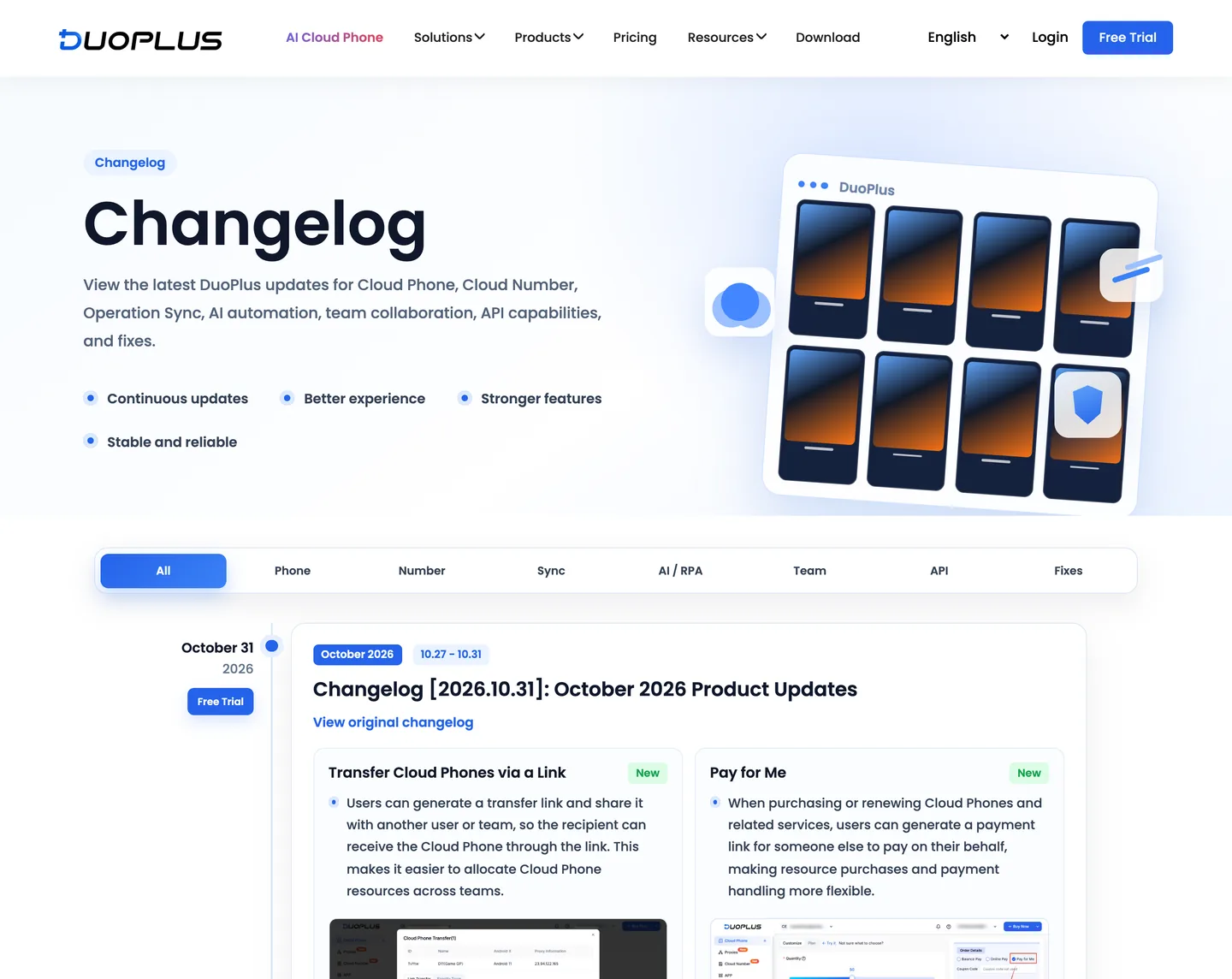
Yes, and quickly. October 2026 alone brought variables in RPA flows, USDT and USDC payments, paid recovery for expired phones, phone transfer by link and the Pay for Me links.
The flip side of fast shipping is that screens and prices move. The buy-screen discounts in the setup guide already differ from the live pricing page. Trust the checkout total over any screenshot, including ours.
Verdict
DuoPlus gets the important thing right: real Android hardware at a price that lets you try it for the cost of a coffee. The tooling around the phones is deep. Sync, RPA, API, ADB, one-click root, free teams and SMS numbers are all in one dashboard. The pricing rewards people who read it properly and punishes people who leave phones running.
What we like
- $2 a month per phone with no subscription to unlock it
- Daily cap of $1.20 keeps pay as you go predictable
- One $19.90 pass can serve a whole rotation of phones
- Real ARM devices on Android 10, 11, 12 and 15, with one-click root
- Works in a browser, nothing to install
- Free team seats, roles and logs
- Synchronizer, RPA, API and ADB all included
What we don't
- Two-part billing confuses new buyers
- No refunds once a phone is created
- A proxy is mandatory and costs extra
- Simulated SIM cannot receive SMS
- API limited to one request per second per endpoint
- No iOS devices
- Live chat is not 24/7
Buy it if you manage TikTok, Instagram, WhatsApp or other app-first accounts, you want each one on its own device, and you work in sessions instead of around the clock. Agencies with several operators get the most out of the free team seats.
Skip it if your work is browser-based, you need iPhones, or you need dozens of phones running in parallel all day. That last case works, but at $19.90 per concurrent phone you should price it against owning hardware.
The sensible first step is the free phone. Attach a proxy, power it on, install the one app you care about, and see how the stream feels on your connection. If it suits you, scale up. Five phones cost $8 a month at the 5+ rate, plus proxies and running time.
Prices, limits and features were checked on duoplus.net and the DuoPlus help centre on 11 November 2026. Dashboard images are from DuoPlus's own setup guides. Links to DuoPlus on this page are affiliate links: if you sign up through one, ProxyLook may earn a commission at no extra cost to you. That does not change our scores.
Automation & integrations
Drive profiles programmatically for scraping and multi-account workflows.
Profiles, team & mobile
Proxy & connectivity
Security & compliance
Supported platforms
ProxyLook scorecard
Our editorial assessment across four dimensions, averaging 4.4/5 overall. Scored by the ProxyLook team, not user votes.
What DuoPlus is best for
Suitability by use case, from our per-workflow scoring. Follow a link to compare proxies for that job.
DuoPlus FAQ
Common questions, answered from the official DuoPlus site.